The Operating System for Blogging Teams
Blog Management. Finally Simplified.
Plan. Write. Collaborate. Approve. Everything your team needs to publish consistently and scale your blog.
14-day free trial. No credit card required.
Guest posts
Blogs
Collaboration
Workflow
Backlinks
Calendar
Outline
Guest posts
Blogs
Collaboration
Workflow
Backlinks
Calendar
Outline
Backed by Data
6 million
blog posts are published every day
70%
of companies draft outlines before writing blogs
41%
of content teams struggle with workflow and approvals
Problems
What’s Going Wrong (and Why) in Blog Management
Missed Deadlines
Lost Ideas
SEO Struggles
Approval Delays
That's Why I’m Building BlogManager
I’ve always found it strange that we have Google Docs for writing, Notion for notes, Trello or Jira for managing tasks — but nothing dedicated to managing blogs.
When I started running my own blog, I was using Google Sheets for my content calendar, another sheet for keywords, Docs or Notion for outlines, and emails for collaboration and approvals. It worked… but barely. Everything felt scattered.
So I decided to fix it. BlogManager is built to give bloggers, writers, and teams a single workspace to plan, create, collaborate, and publish without switching between ten different tools.

You Decide
Two Ways to Blog: Messy or Organized.
The Old Way 😭
Scattered tools and scattered progress, Docs, Sheets, Notion, emails, and endless threads.
Unclear ownership, slow approvals, missed deadlines, and content that slips through the cracks.

The BlogManager Way 🤩
One workspace to plan, write, collaborate, and approve—no tab-hopping.
Clear roles, streamlined workflows, calendar clarity, posts move to publish‑ready fast.

Features
All-in-One Platform to Simplify Blogging
Close all tabs. You only need BlogManager.

Blog Calendar
Plan topics, deadlines, and publishing in one view. Stay on schedule with reminders and easy drag‑and‑drop.

SEO Keyword Planner

Draft Outline

Write Blog

Collaboration & Approvals
How it Works
It’s Easy as A, B, C, D
From idea to publish ready: organized, collaborative, stress‑free. Plan, collect, outline, write, and ship all in one place.
- Sign Up
- Setup
- Plan
- Publish
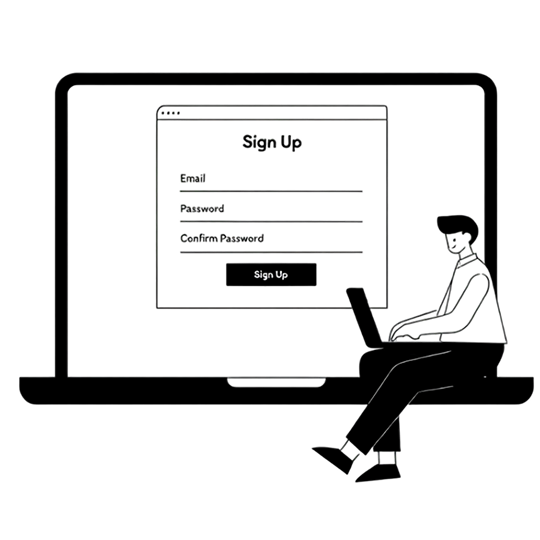

Name your workspace and set a few basics, done in under a minute. Your dashboard instantly reflects how your team operates.

Select topic, keywords, and build a clear outline. Schedule it on the calendar to align with goals.

Draft, review, and finalize with version‑locked approvals. Export cleanly to your CMS and track performance from day one.
Pricing
Simple, Transparent Pricing for Every Blogger
Whether you’re solo, with a team, or managing clients, pick a plan that fits.
Solo
For individual bloggers or freelancers.
$9 $29 / month
- 1 workspace
- Up to 10 blog posts per month
- All BlogManager features
BEST SELLER
Team
For small to mid-size content teams.
$29 $49 / month
- 5 workspace
- Up to 20 blog posts per month
- All BlogManager features
Agency & Enterprise
For agencies or large teams managing many blogs.
$99 $199 / month
- Unlimited workspace
- Unlimited blog posts
- All BlogManager features
Solo
For individual bloggers or freelancers.
$7 / month
- 1 workspace
- Up to 10 blog posts per month
- All BlogManager features
BEST SELLER
Team
For small to mid-size content teams.
$23 / month
- 5 workspace
- Up to 20 blog posts per month
- All BlogManager features
Agency & Enterprise
For agencies or large teams managing many blogs.
$79 / month
- Unlimited workspace
- Unlimited blog posts
- All BlogManager features
Why Us
Why Choose BlogManager?
Secure & Reliable
Built for Teams
Always Improving
Transparent Pricing
No hidden costs or surprises choose a plan that fits your needs and scale with confidence.
FAQs
Questions from Fellow Bloggers
What is BlogManager?
BlogManager is an all-in-one BlogOps platform that helps teams plan, write, collaborate, and ready-to-publish blogs from one place. It replaces scattered tools like Google Sheets, Docs, Notion, and Trello with a single organized workspace for content planning, keyword research, outlines, approvals, and publishing.
What problems does BlogManager solve?
It solves the biggest pain points in blogging, missed deadlines, lost ideas, scattered tools, SEO inconsistency, and delayed approvals. With BlogManager, you can plan, create, and ship blogs faster and more efficiently.
Who is BlogManager built for?
BlogManager is designed for content teams, agencies, freelancers, and growing SaaS or B2B brands that publish blogs regularly. Whether you’re managing one blog or multiple client blogs, it brings everything together for faster, more consistent publishing.
How is this different from Google Docs or Notion?
Unlike Docs or Notion, BlogManager is built specifically for blogging. It combines blog calendars, keyword planners, outlines, collaboration, and approvals into one workspace, so your entire blog workflow stays organized, without switching tabs.
Is BlogManager suitable for agencies?
Yes. BlogManager is built with agencies in mind. You can manage multiple client blogs in one place, set permissions, assign roles, and track progress across projects, saving hours every week on coordination and reporting.
Can freelancers use BlogManager?
Definitely. Freelancers managing multiple clients can use BlogManager to plan, write, and deliver approved blog drafts efficiently. It keeps everything organized and reduces back-and-forth with clients.
Can my team collaborate on content?
How does BlogManager help teams publish consistently?
By bringing together calendars, keyword research, outlines, and approvals into one platform, BlogManager ensures nothing slips through the cracks. You always know what’s planned, who’s responsible, and what’s ready to publish.
Can I book a demo before signing up?
Yes. You can book a team demo to see how BlogManager works in action and how it can fit into your existing blog workflow.
Do I need any technical setup to start?
No technical setup required. Just sign up, create your workspace, and you’re ready to plan and publish your first post. BlogManager is cloud-based and runs directly in your browser.
Can I import my existing blog posts and drafts?
Yes, you can import complete posts and drafts by exporting them as Markdown (.md) and uploading to BlogManager. We automatically read front matter (title, slug, tags, categories, date, canonical) and preserve formatting, media, and status.
What happens to my content if I cancel?
Still have questions? We’re here to help.
Everything Your Blog Needs. Nothing You Don’t.